Sora 2 Prompts: How To Write Cinematic Video Prompts That Actually Render In 2026
The first Sora 2 clip that actually felt like cinema cost me about forty failed generations to figure out. Not because the model is weak, but because everything I knew about writing Midjourney prompts and ChatGPT prompts was the wrong starting point. Sora 2 is not an image model with motion bolted on. It is a director that needs a shot list.
If your Sora 2 clips keep coming out as wobbly stock footage, jittery faces, or beautiful first frames that collapse by second three, you are not bad at prompting. You are writing prompts for the wrong medium. This guide is the working framework I now use for client video work, broken down into the exact structure, the exact language, and the exact mistakes that wasted my first month with the model.
Everything below is based on real generations I have shipped in 2026, not screenshots from a launch demo. I will show you the four part structure that survives the rendering process, the camera and motion vocabulary the model actually responds to, the JSON pattern that quietly outperforms freeform prose for serious work, and the workflow I use when a client needs a usable clip in under an hour.
Why Sora 2 needs a different mental model
Sora 2 is built around something OpenAI calls world simulation. Instead of painting a single frame and animating it, the model is running a tiny physics aware scene for the duration of your clip. Gravity behaves. Cloth drapes. Light wraps around objects in motion. Reflections actually track the things being reflected. That is a huge upgrade from earlier video models, and it changes what a good prompt has to do.
A Midjourney prompt describes a moment. A Sora 2 prompt describes a moment in time that has a before and an after. You are not just saying what the camera sees, you are saying what is happening, who is moving, how the camera responds, and how the light evolves across five or ten seconds. Skip any of those and the model fills the gap with its best guess, which is exactly where the wobbly stock footage feeling comes from.
Once you accept that you are writing a one shot directing brief rather than a caption, everything else in this guide will click into place. The same instinct that makes a strong Midjourney prompt (subject first, specifics over adjectives, real references over vibes) carries over. There is just one extra axis to think about, and that axis is time.
The four part structure of a Sora 2 prompt that renders
Every Sora 2 prompt I ship now follows the same four part structure, in the same order. Subject and action, environment and lighting, camera and lens, motion and pacing. Four blocks, each one short, each one specific, each one carrying a different job.
The subject and action block tells the model who or what is in the shot and what they are physically doing across the clip. Not what they are feeling, not what the scene means, just the physical action. A man walks. A coffee cup tips. A drone lifts off. Keep it concrete and keep it singular. One subject doing one action is the cleanest signal Sora 2 can receive.
The environment and lighting block places that action in a specific world with specific light. Time of day, weather, surface materials, and the dominant light source. This is where Sora 2's physics engine gets the information it needs to make reflections, shadows, and atmosphere behave consistently across frames.
The camera and lens block tells the model what kind of shot you actually want. Lens length, framing, height, and angle. This single block separates amateur looking clips from clips that feel like they were shot by someone who knows what an 85mm lens does versus a 24mm lens. We will go deep on this in a moment.
The motion and pacing block describes how the camera moves and how the action unfolds across the clip length. Slow push in, locked off tripod, handheld follow, crane down. This is the block most beginners skip entirely, and it is also the one that most reliably turns a static feeling render into a real piece of cinema.
The camera vocabulary Sora 2 actually understands
Sora 2 was trained on enormous amounts of film and television, which means it responds to real cinematography language better than to vague adjectives. "Cinematic" does almost nothing. "Shot on Arri Alexa 35, 50mm anamorphic lens, shallow depth of field" does an enormous amount.
The lens terms that consistently shift the look are 24mm for wide environmental shots, 35mm for natural walking and dialogue framing, 50mm for grounded everyday realism, 85mm for portrait compression and creamy backgrounds, and 135mm for tight isolated subject work. Naming the focal length gives the model a real visual reference instead of asking it to guess.
For camera bodies, naming a real one biases the render toward a real look. Arri Alexa 35 pushes toward modern film. Sony Venice 2 pushes toward cleaner digital. RED Komodo pushes toward saturated indie. Bolex 16mm pushes toward grainy archival. You do not need to be a cinematographer to use these. You need to know that a real name beats a vague mood word every time.
For shot types, the model responds well to medium close up, wide establishing shot, over the shoulder, dutch angle, low angle hero shot, and god's eye top down. Each of these phrases comes from real production language and each one collapses thousands of possible compositions into a tight visual cluster the model knows how to render.
How to control motion and avoid the wobble
The wobble that ruins so many AI video clips is almost always a motion problem, not a model problem. When the prompt does not specify what is moving and how, Sora 2 defaults to a kind of nervous everything is slightly drifting energy that screams AI from a mile away.
The fix is to lock something down in every prompt. Either the camera is locked off on a tripod and the subject moves, or the camera moves on a deliberate path and the subject is relatively still, or both move in a clearly described relationship. Saying nothing is what produces drift.
The motion phrases that consistently behave are locked off tripod shot, slow dolly in, slow dolly out, smooth crane down, gimbal follow shot tracking the subject, handheld documentary style with subtle natural sway, and static wide shot with subject moving through frame. Pair the motion with a duration cue like over five seconds or across the clip, and Sora 2 paces the move instead of rushing it.
For the action itself, describe it in past simple verbs that imply a beginning, middle, and end. The cup tipped over and spilled coffee across the table. The astronaut walked from background into mid ground and paused. The car drove past the camera left to right. Each of those gives the model a clear three beat arc to render across the clip length.
Three real Sora 2 prompts from my own runs
The first was a product reveal clip for a small ecommerce brand. I wrote "A matte black ceramic coffee mug sits on a wet basalt countertop in a dim minimalist kitchen, soft window light from the left, steam slowly rising and curling toward the right. Shot on Arri Alexa 35, 85mm lens, shallow depth of field, locked off tripod, static composition for the full clip duration. Editorial product cinematography, dark teal background, deep contemplative mood." Three generations, one keeper, shipped to the client.
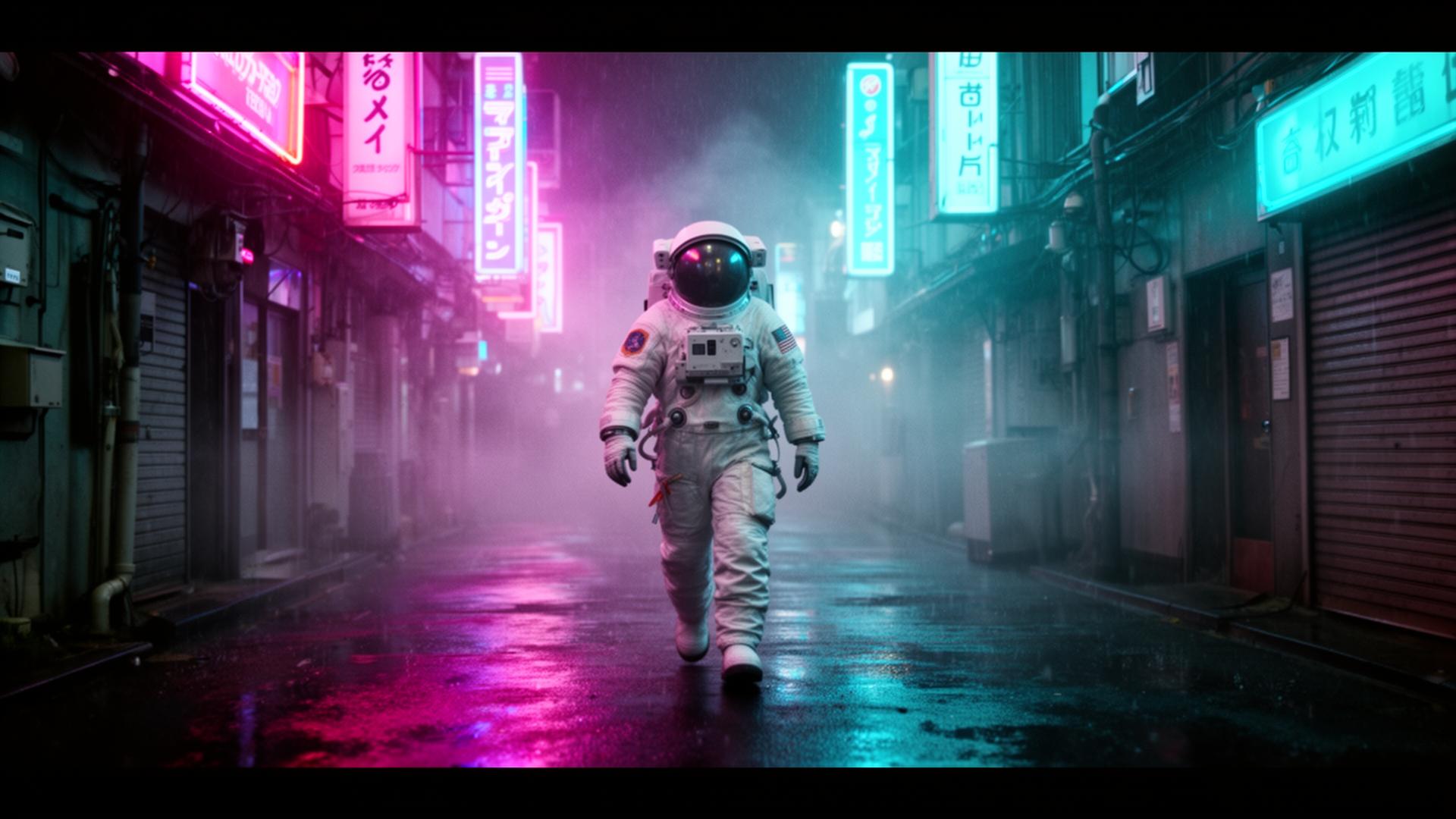
The second was a narrative establishing shot. I wrote "A lone astronaut walks slowly down a rain slicked Tokyo alleyway at night, magenta and cyan neon signs reflecting in puddles, volumetric fog drifting between buildings. Shot on Sony Venice 2, 35mm anamorphic lens, slow dolly in following the astronaut from behind across five seconds, subtle handheld float. Blade Runner inspired neo noir, deep shadows, anamorphic lens flares on every neon source." Six generations, one perfect, the others mostly usable.
The third was a brand sizzle clip. I wrote "Close up of hands carefully pouring matcha from a cast iron kettle into a small ceramic bowl on a wooden tea table, steam rising into a single shaft of morning window light. Shot on RED Komodo, 50mm lens, shallow depth of field, locked off tripod, no camera movement, action unfolds naturally across the full duration. Wabi sabi Japanese tea ceremony aesthetic, warm amber light, quiet meditative mood." Two generations, both usable, second one shipped.
The pattern across all three is identical. One subject doing one clear action, a specific environment with a named dominant light source, real camera and lens language, and a single described camera movement. No filler adjectives, no stacked mood words, no asking the model to interpret a feeling.
When JSON prompts beat freeform prose
One of the most common Sora 2 questions in 2026 is whether to use JSON style prompts or just write a sentence. After running both extensively on the same scenes, my honest answer is that JSON wins for anything you plan to iterate on, and prose wins for one off creative exploration.
JSON wins for iteration because it forces you to separate the variables. Subject, environment, lighting, camera, lens, motion, and style each live in their own field, which means you can change exactly one and rerun without accidentally rewriting the rest of the prompt. That kind of clean A B testing is almost impossible with prose.
A JSON prompt I actually use looks like this: {"subject": "a lone astronaut", "action": "walks slowly toward the camera", "environment": "rain slicked Tokyo alleyway at night, neon signs, volumetric fog", "lighting": "magenta and cyan neon as primary source, deep shadows", "camera": "Sony Venice 2", "lens": "35mm anamorphic", "shot": "medium wide tracking shot", "motion": "slow dolly in across 5 seconds, subtle handheld float", "style": "Blade Runner inspired neo noir, anamorphic lens flares", "duration": "5 seconds"}. Sora 2 parses this cleanly and the iteration cycle becomes ten times faster.
For freeform creative exploration, prose still wins because it lets you describe relationships and feelings that do not fit neatly into fields. Use prose when you are discovering the shot, use JSON when you are refining it.
The mistakes that quietly waste your Sora 2 credits
The first mistake is asking for too much action in too short a clip. A five second Sora 2 generation can comfortably show one clear action with a beginning, middle, and end. Two actions get rushed. Three actions become incoherent. If your prompt has the word "then" in it twice, the clip is going to suffer.
The second mistake is stacking three or four style references in a single prompt. Sora 2 will try to average them and you will get a render that feels like none of them. Pick one dominant style, name it specifically, and let it lead. Blade Runner neo noir. Wes Anderson symmetry. Wong Kar wai melancholy. Studio Ghibli warmth. One reference, executed cleanly, beats four references blended into mush.
The third mistake is ignoring aspect ratio and orientation. A vertical clip for social and a horizontal clip for a website are different compositional problems. Tell Sora 2 explicitly which one you want, and frame the subject for that orientation in your prompt. A medium close up framed for 16:9 will not survive a crop to 9:16.
The fourth mistake is treating every failed render as a prompt problem. Sometimes the model genuinely just rolls a bad seed. After three attempts on the same prompt, if none of them are usable, the prompt probably needs a real rewrite. If two of three are close, the prompt is good and you just need another roll.
Sora 2 versus Veo 3 versus Runway in 2026
I use all three on client work and they are genuinely different tools. Sora 2 leads on physical realism, complex motion coherence, and any scene where reflections, water, or cloth need to behave. Veo 3 leads on synchronized audio generation, lip sync for dialogue clips, and tight 1080p sharpness. Runway Gen 4 leads on creative control, image to video workflows, and quick iteration on shorter clips.
My current workflow is to draft the shot in Sora 2 when the scene depends on world simulation, draft it in Veo 3 when audio and dialogue matter, and draft it in Runway when I am starting from an existing image or storyboard frame. None of them wins every brief, and the operators who get the most leverage in 2026 are the ones who match the tool to the shot.
Building a Sora 2 prompt library that compounds
The single highest leverage habit I have built around Sora 2 is saving every prompt that produced a usable clip into a personal library, tagged by shot type. Product hero, narrative establishing, talking head, sizzle reel, transition, B roll, hand action. Each tag holds the exact JSON or prose that worked, the model settings, and a one line note on what made it land.
Roughly two thirds of my Sora 2 work now starts from an existing template in that library, which is exactly the reason our prompt templates library exists and why the free AI prompt generator scaffolds new ones in seconds. Video prompting rewards consistency, and consistency comes from a system, not from inspiration.
What this looks like in practice today
Pick one short video clip you would otherwise have to film or buy as stock footage. Write a single four block prompt for it using the subject, environment, camera, motion structure from this guide. Name a real camera, a real lens, and a single deliberate motion. Generate three times. If two of three are close to usable, save the prompt into your library and refine. If none are close, rewrite the prompt with a more specific subject and a single style reference, then try again.
For deeper reference on how OpenAI itself describes Sora's capabilities and intended prompting style, the official Sora product page is the canonical source and worth bookmarking alongside this guide. Pair it with the Midjourney prompts guide for still frame discipline and the ChatGPT prompt engineering guide for the broader thinking behind structured prompts, and you have a complete working framework for moving between the three mediums that matter most in 2026.
Great Sora 2 work is not about clever phrasing. It is about briefing a tiny director with a clear subject, a specific world, a real camera, and a single deliberate movement. Do those four things consistently and Sora 2 will stop producing wobbly stock footage and start producing the kind of short clips you can confidently put in front of a client.
Related articles
Midjourney Prompts Guide 2026: How To Actually Write Prompts That Render Like A Pro
Most Midjourney guides repeat the same surface-level advice. This is the one I wish I had when I started, written after thousands of renders and a long list of failures.
Midjourney V6 Parameters: The Current Version Guide I Actually Use In 2026
Most parameter lists online are still copied from V5 docs. This is what each V6 flag actually does in 2026, written from the prompts I run every day.
ChatGPT Prompt Engineering Guide 2026: How I Actually Get Useful Answers Every Time
Most ChatGPT prompt guides hand you a list of magic words. This is the one I wish I had, written from two years of using GPT-4 and GPT-5 in real client work.
Gemini Prompt Guide 2026: How I Actually Use Google's Model For Real Work
Gemini is not ChatGPT in a Google coat. It rewards a different style of prompting and most guides online still miss that. Here is what actually works in 2026.
Claude Prompt Engineering Guide 2026: How To Get Editorial Grade Output From Anthropic's Model
Claude rewards careful writing more than any other frontier model. Here is the exact way I prompt Sonnet and Opus when I need editorial quality output the first time.